Goal of this chapter
By the end of this chapter, you will:
- Solve a QUBO problem using Python
- See how the graph intuition (nodes & edges) becomes code
- Understand how a solver evaluates energy
- Build confidence to experiment on your own
No advanced math. No quantum yet. Just practical learning.
Problem We Will Solve (Again)
Choose exactly one drink
Options:
Coke ( C )
Milk Tea (M)
Orange Juice (O)
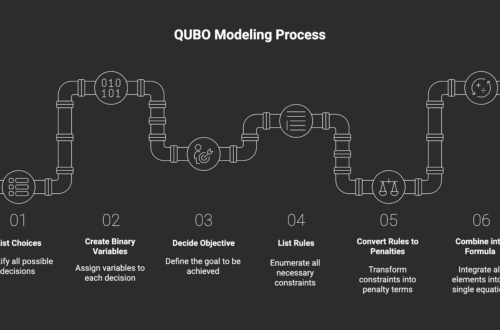
Step 1: Define Binary Variables
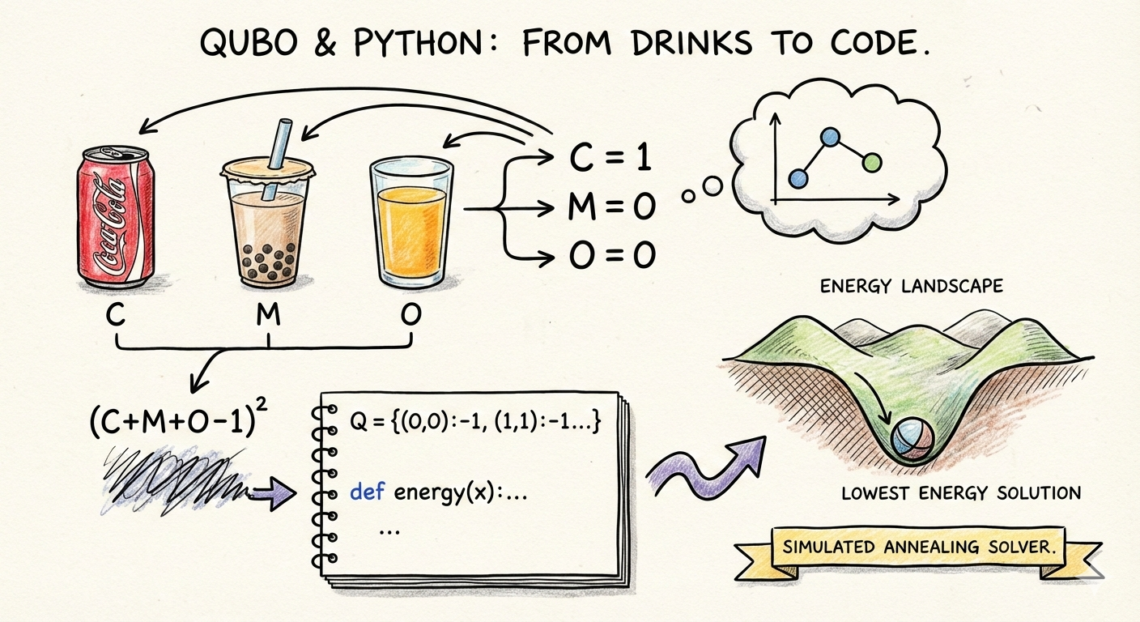
Each choice becomes a binary variable:
- C = 1 if Coke is chosen, else 0
- M = 1 if Milk Tea is chosen, else 0
- O = 1 if Orange Juice is chosen, else 0
Graph view:
- 3 nodes
- Each node is ON or OFF
Step 2: Write the Constraint as QUBO
Rule:
Choose exactly one drink
QUBO pattern (from Chapter 3):
(C + M + O − 1)²Why this works:
- = 0 when exactly one is chosen
- 0 otherwise
This is our energy function.
Step 3: Expand the Formula
Expand:
C + M + O
+ 2(CM + CO + MO)
− 2(C + M + O)
+ 1
Ignore the constant +1.
What remains defines:
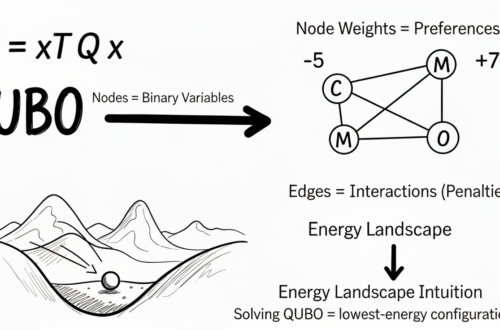
- Node weights (linear terms)
- Edge penalties (pair terms)
This matches the fully connected graph from Chapter 4.
Step 4: Represent QUBO in Python
We store QUBO as a dictionary.
import itertools

# Variable order: C=0, M=1, O=2
Q = {
    (0, 0): -1,
    (1, 1): -1,
    (2, 2): -1,
    (0, 1): 2,
    (0, 2): 2,
    (1, 2): 2,
}
Each entry means:
(i, i)→ node weight(i, j)→ edge penalty
Step 5: Define Energy Function
def energy(x):
    e = 0
    for (i, j), w in Q.items():
        e += w * x[i] * x[j]
    return e
This function:
- Takes a solution like
(1, 0, 0) - Calculates total energy
This is exactly how solvers “see” your graph.
Step 6: Brute Force Solve
Because we only have 3 variables, we can try all combinations.
best = None

for x in itertools.product([0, 1], repeat=3):
    e = energy(x)
    print(x, e)
    if best is None or e < best[1]:
        best = (x, e)
print("Best solution:", best)
You will observe:
- Invalid choices → higher energy
- Valid choices → lowest energy
Step 7: Interpret the Result
Valid lowest-energy solutions:
(1, 0, 0)→ Coke(0, 1, 0)→ Milk Tea(0, 0, 1)→ Orange Juice
All are equally good.
Why?
Because we added rules, not preferences.
Step 8: Add Preferences (Objective)
Let’s say:
- Coke is preferred
- Milk Tea is disliked
Q[(0, 0)] += -2  # reward Coke
Q[(1, 1)] += 3   # penalize Milk Tea
Re-run the solver.
Now the energy landscape tilts.
One solution becomes the deepest valley.
What You Just Learned
- QUBO becomes simple Python code
- Solvers only compare energies
- Graph intuition directly matches behavior
- You don’t need special tools to start
Scaling up Step 9: Simulated Annealing (Conceptual)
Brute force helped us see everything.
But it breaks very quickly.
When variables grow:
- Combinations explode
- Brute force becomes impossible
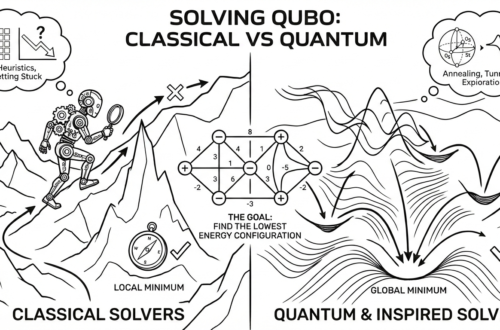
This is where Simulated Annealing (SA) enters.
How Simulated Annealing Works
From Chapter 5 and the graph view:
- QUBO = energy landscape
- Valleys = good solutions
- Hills = bad solutions
Simulated Annealing:
- Starts at a random configuration
- Flips one variable (node)
- Measures energy change
- Sometimes accepts worse moves
- Gradually becomes more conservative
Early stage:
- Explores widely
- Jumps across hills
Late stage:
- Settles into a deep valley
This is how solvers escape local minima.
Why This Matters for Real Problems
Most real QUBO problems:
- Have hundreds or thousands of variables
- Cannot be solved exactly
- Need good solutions fast
Simulated Annealing:
- Trades perfection for speed
- Handles noisy, complex graphs
- Works well with QUBO structure
This is why it is widely used in practice.
Step 10 — Simulated Annealing in Python (Hands-On)
Now let’s see real code.
We will use a ready-made solver, just like engineers do in real projects.
Below is an example using Fixstars Amplify (quantum-inspired, runs on classical hardware).
Install Library
pip install amplifyDefine the Same QUBO Problem
from amplify import BinarySymbolGenerator, solve
from amplify.client import FixstarsClient

# Create binary variables
q = BinarySymbolGenerator()
C, M, O = q.array(3)
# Exactly-one constraint
qubo = (C + M + O - 1) ** 2
# Add preferences
qubo += -2 * C      # prefer Coke
qubo += 3 * M       # avoid Milk Tea
Run Simulated Annealing Solver
client = FixstarsClient()
client.parameters.timeout = 1000  # milliseconds

result = solve(qubo, client)
best = result.best
print("Solution:", best.values)
print("Energy:", best.energy)
Output Interpretation
Example output:
Solution: [1, 0, 0]
Energy: -2.0
Meaning:
- Coke = ON
- Milk Tea = OFF
- Orange Juice = OFF
The solver:
- Explored many configurations
- Escaped local minima
- Found the deepest valley
All without brute force.
What Just Happened
Under the hood, the solver:
- Flipped nodes ON/OFF
- Measured energy change
- Sometimes accepted worse moves
- Slowly settled into a low-energy state
Exactly the annealing behavior we discussed conceptually.
What You’ve Achieved So Far
You can now:
- Build QUBO models
- Understand them as graphs
- Solve small problems exactly
- Understand how solvers scale
You are no longer “reading about QUBO”.
You are using it.
What’s Next
In the next chapter, we will:
- Introduce the Ising model
- See how QUBO maps to Ising
This connects modeling to real solvers and machines.